
The fear that struck my heart when I realized that I had no idea how to prototype. Hah. I am going to reward myself for the result of these tasks and the upcoming assignment. I really learned some things this whole period.
Task 1: Doggo Profiles
The scenario is that you have been contacted by a local animal rescue organization with an existing website. You need to create a low fidelity prototype (wireframe) for the dog category page as well as a profile page that displays the features of each individual dog. The category page needs to show the dogs that are available for adoption. Make space for 15 dogs on the page.
On the individual feature page, users can see the following (in any order that you choose):
- Dog’s name;
- Dog’s photo;
- Dog’s description;
- If the dog is good with cats or not;
- Dog’s age;
- If the dog is house trained;
- Dog’s size;
- If the dog is good with children or not;
- Dog’s gender;
- Dog breed (if applicable);
- Link to a form that they can use to book a visit with the dog.
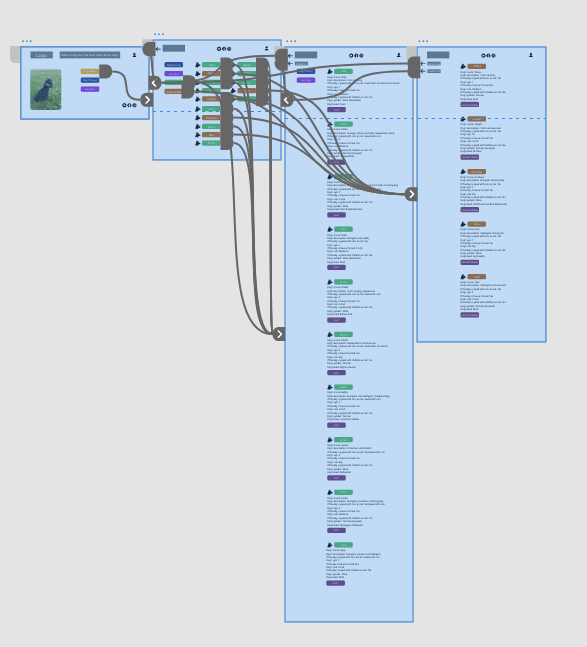
Here is the link: https://xd.adobe.com/view/1132ce2a-e2c5-4baf-aff6-2411639817c1-4461/?fullscreen&hints=off
Low fidelity? Nah, I FANCY… actually I just wanted to play around and decided that doing it at 23.00 was a good idea.
I also made a video showing how this works: https://youtu.be/joggJYUGyw8
Lesson Task 3: Contact Form page redesign
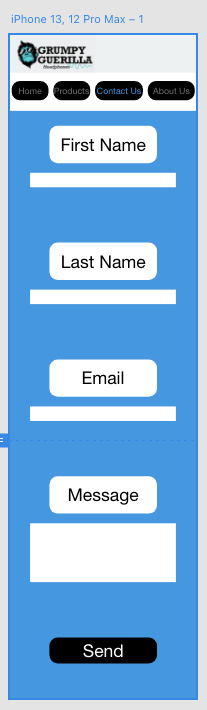
In this lesson task, you’ll be tasked with redesigning the contact form of a mobile app to ensure some much-needed improvements.
Use what we have learned and apply it to your design. Please include these form fields in your design:
- Name;
- Surname;
- Email;
- Message;
- Call to action.
I redesigned a contact form page https://xd.adobe.com/view/28e55e22-66fd-4ffb-890b-529efb1046ed-7db6/?fullscreen
 Yeisi Veronica